Passport Photo Checker NZ: Use the Official Tool
Few things stall a New Zealand passport application faster than a photo the system won’t accept. The good news is you don’t have to guess whether your photo is good enough: New Zealand Passports provides a free online photo checker that tests your image before you upload it, with no login and no application form required. You’ll find out what the checker actually verifies, which official rules matter most, and how to fix a photo that fails.
Official checker: onlinephotochecker.passports.govt.nz · Aspect ratio: 3:4 colour portrait · File size: 250KB–5MB · Photo age: less than 6 months · Format: JPG or JPEG
Quick snapshot
- The Online Photo Checker is free and works without starting or logging into an application (New Zealand Passports, Online Photo Checker terms).
- Passport photos must be less than 6 months old and clearly identify you (New Zealand Passports).
- Online files must be JPG or JPEG, between 250KB and 5MB, at least 900 × 1200 pixels (New Zealand Passports).
- Whether the checker verifies every technical requirement or only a subset of upload rules — its published terms describe a photo-suitability check, not a full audit.
- Whether a photo that passes the online check could still be questioned later in the application review.
- Check the photo before you start the online application, not after (New Zealand Passports).
- The 6-month clock starts when the photo is taken; an older photo is out of date before you upload it (New Zealand Passports).
- Take the photo using the official guide, then run it through the Online Photo Checker (New Zealand Passports, 5-step pocket guide).
- If the checker says the photo is suitable for upload, keep that file ready for the Online Passport Service (New Zealand Passports, Online Photo Checker terms).
Key facts: NZ passport photo checker
Eight facts, one pattern: the official tool exists to catch file-level problems before they stall an application.
| Fact | Official detail |
|---|---|
| Official checker URL | onlinephotochecker.passports.govt.nz (New Zealand Passports, Online Photo Checker terms) |
| Publisher | New Zealand Passports, part of the Department of Internal Affairs (New Zealand Passports) |
| Login or application needed | None (New Zealand Passports, Online Photo Checker terms) |
| Purpose | Confirms a photo is suitable for upload to the Online Passport Service (New Zealand Passports, Online Photo Checker terms) |
| Photo age limit | Less than 6 months old (New Zealand Passports) |
| Accepted format | JPG or JPEG (New Zealand Passports) |
| File size, online applications | 250KB–5MB (New Zealand Passports) |
| Minimum pixels, online applications | 900 wide × 1200 high (New Zealand Passports, 5-step pocket guide) |
The pattern: every rule points to one goal — a file a machine can read and a human can match to your face.
How to check if a photo is ok for a passport?
New Zealand Passports gives applicants a direct answer: use the official online photo checker before you start an application (New Zealand Passports, official passport office). The same instruction appears in the official 5-step pocket guide: take the photo using the government video guide, then check it (New Zealand Passports, 5-step pocket guide PDF).
What are the official New Zealand passport photo rules?
- The photo must be a colour portrait with a 3:4 aspect ratio (New Zealand Passports).
- It must be saved as a JPG or JPEG file (New Zealand Passports).
- For online applications, the file must be between 250KB and 5MB, and at least 900 × 1200 pixels (New Zealand Passports).
- The photo must be less than 6 months old and clearly identify you (New Zealand Passports).
Those are the technical rails. The human rules matter just as much: a recent, clear likeness is the whole point of a biometric document.
What tools does the NZ Passports online photo checker use?
The Online Photo Checker is a free government service that checks whether a photo is suitable for upload to the Online Passport Service — no login, no application ID (New Zealand Passports, Online Photo Checker terms).
The checker acts as the front gate for the Online Passport Service’s file requirements. The official sequence is simple: take the photo, save it as a JPG or JPEG, run the checker, and only then move to the application (New Zealand Passports, 5-step pocket guide).
How do I test my photo before submitting an application?
- Save the photo as a JPG or JPEG, ideally already within the 250KB–5MB range (New Zealand Passports).
- Open the Online Photo Checker — it works without starting or logging into an application (New Zealand Passports, Online Photo Checker terms).
- Upload the image and let the tool confirm whether it’s suitable for upload (New Zealand Passports, Online Photo Checker terms).
That’s the whole workflow: take, save, upload, check. If the tool says the photo is suitable, you’re clear to start the application (New Zealand Passports).
How can I check if my passport photo is acceptable?
There are two ways to answer this: run the official checker, and measure the photo against the manual rules. Do both and you’ve covered the technical side and the human side.
Photo checker tool steps
- Open onlinephotochecker.passports.govt.nz — no login needed (New Zealand Passports, Online Photo Checker terms).
- Upload your saved photo and wait for the suitability result (New Zealand Passports, Online Photo Checker terms).
- If it passes, keep that file for your application; if it fails, retake and re-check (New Zealand Passports).
The official guidance positions this as the step before the Online Passport Service, so a suitable-for-upload result is the green light you’re looking for (New Zealand Passports, Online Photo Checker terms).
Manual requirements list
- Less than 6 months old, and a clear likeness of you (New Zealand Passports).
- Colour portrait, 3:4 aspect ratio, saved as JPG or JPEG (New Zealand Passports).
- Face fully visible — not tilted, eyes open, mouth closed, hair away from the face (New Zealand Passports).
- No selfies, no scans of printed photos, no filters or AI edits (New Zealand Passports).
The checker handles file suitability, but the clearly-identify-you rule is judged against the real you. A photo taken within the last 6 months is the only safe way to satisfy it (New Zealand Passports).
What this means: pass the tool and the manual list, and you’ve done everything the official rules ask before submitting.
How can I verify my passport in New Zealand?
Verifying a New Zealand passport isn’t a single public lookup — it’s a set of official checks, and the photo check is the one most applicants meet first.
Passport validity verification
- The official home for New Zealand passport services is the passports.govt.nz portal operated by the Department of Internal Affairs (New Zealand Passports).
- The Online Photo Checker lets you confirm a photo is suitable for upload before you begin an application (New Zealand Passports, Online Photo Checker terms).
- If your saved photo is older than 6 months, that’s an immediate verification failure — a new photo is required (New Zealand Passports).
The online passport service handles applications and renewals through official channels; for details about your own passport, that portal is the starting point.
Identity Check via DIA
- The Department of Internal Affairs runs New Zealand Passports and the official passport photo process (New Zealand Passports).
- Identity verification services such as Identity Check are separate from the Online Photo Checker, which only tests whether a photo is suitable for upload (New Zealand Passports, Online Photo Checker terms).
- The photo rules apply to all NZ passport applications, so a valid passport file is a precondition for the online process (New Zealand Passports).
The trade-off: you can verify your photo for free, but other passport details are protected — checking someone else’s passport runs through formal identity processes, not a public search.
Can I check a passport online?
For photos, yes: the online photo checker is publicly accessible and free. For the full passport record, no — the privacy rules are deliberately tight.
Online Passport Verification
- The Online Photo Checker is free and public — no login, no application number (New Zealand Passports, Online Photo Checker terms).
- It reports whether a photo is suitable for upload onto the Online Passport Service (New Zealand Passports, Online Photo Checker terms).
- New Zealand Passports tells applicants to run this check before starting an online application (New Zealand Passports).
Passport details lookup
- There is no public lookup for another person’s passport details; official verification options are limited to protect privacy (New Zealand Passports).
- For your own application, the official portal and the photo checker are the relevant tools (New Zealand Passports, Online Photo Checker terms).
What this means: you can check a photo, not a person. The privacy wall around passport data is intentional — and it applies to your own passport as much as anyone else’s. The same practical instinct applies to valuing old items: use a photo scanner to check if something is valuable before you assume what it’s worth (Use a photo scanner to check if something is valuable).
How to verify someone’s passport details?
This is where the online photo checker stops being the answer. Confirming someone else’s passport or identity is a formal process, not a quick search.
Identity checks for individuals
- Official verification options are limited to protect privacy (New Zealand Passports).
- The Online Photo Checker is built solely to test a photo for upload — it is not an identity-check service (New Zealand Passports, Online Photo Checker terms).
Business verification services
- Businesses that need to verify identity typically need a formal, consent-based process; a free photo check is not part of it (New Zealand Passports, Online Photo Checker terms).
- For passport-specific questions, the person can verify their own application details through the official passport portal (New Zealand Passports).
The catch: privacy is exactly why this is hard — the same rule that protects your passport protects everyone else’s. The remedy is preparation: the same prepare-first discipline that works here also applies to other New Zealand government processes, like this step-by-step guide to registering a company (How to Register a Company in New Zealand: Step-by-Step Guide).
NZ passport photo requirements
The official rules split into three buckets: technical file rules, composition rules, and how you’re allowed to look in the frame.
Photo size, format, and file requirements
- Colour portrait with a 3:4 aspect ratio (New Zealand Passports).
- JPG or JPEG file format (New Zealand Passports).
- Online file size between 250KB and 5MB (New Zealand Passports).
- Pixel range of 900–4500 wide and 1200–6000 high (New Zealand Passports).
- Scans of printed photos are not accepted (New Zealand Passports).
Background and lighting rules
- Strong contrast between your face and the background, with no shadows or objects behind your head (New Zealand Passports).
- A clear gap around the sides and top of your head, with shoulders and upper chest included (New Zealand Passports).
- Stand at least half a metre in front of the background (New Zealand Passports).
- The photographer should stand 1.5 metres away and hold the camera at eye level (New Zealand Passports).
Face position and expression
- Your face must be fully visible — not tilted or turned to the side (New Zealand Passports).
- Eyes open, mouth closed, hair out of the eyes and away from the face (New Zealand Passports).
- Prescription glasses are allowed if they are not tinted or thick-framed (New Zealand Passports).
- Head coverings are only allowed for religious or medical reasons, and the face must remain fully visible (New Zealand Passports).
- No editing, filters, or AI tools to modify your appearance (New Zealand Passports).
The 6-month rule exists because a passport is a biometric document. If you wouldn’t be recognised from the photo, no checker result will save the application (New Zealand Passports).
The pattern: each rule reduces the distance between the person in the photo and the person at the border.
Online Photo Checker vs the full official rules
Five differences, one pattern: the free tool covers upload mechanics, while the manual rules cover the human judgment still required.
| Requirement | Online Photo Checker | Full official rules |
|---|---|---|
| JPG or JPEG format | Covered by the suitability-for-upload check (New Zealand Passports, Online Photo Checker terms) | Required for online applications (New Zealand Passports) |
| File size 250KB–5MB | Covered by the suitability-for-upload check (New Zealand Passports, Online Photo Checker terms) | Required for online applications (New Zealand Passports) |
| Pixel range 900–4500 × 1200–6000 | Covered by the suitability-for-upload check (New Zealand Passports, Online Photo Checker terms) | Required for online applications (New Zealand Passports) |
| Photo less than 6 months old | Not stated in the tool’s published terms (New Zealand Passports, Online Photo Checker terms) | Required — less than 6 months old (New Zealand Passports) |
| Glasses, head coverings, expression | Not stated in the tool’s published terms (New Zealand Passports, Online Photo Checker terms) | Required — detailed in the official photo rules (New Zealand Passports) |
| No filters or AI edits | Not stated in the tool’s published terms (New Zealand Passports, Online Photo Checker terms) | Required — edits are not permitted (New Zealand Passports) |
What this means: use the checker for the file, and the manual rules for the face. Both halves matter.
NZ online passport photo: technical specification
Twelve specs, one pattern: every number exists to keep the passport photo machine-readable and unmistakably yours.
| Specification | Official requirement |
|---|---|
| Aspect ratio | 3:4 colour portrait (New Zealand Passports) |
| File format | JPG or JPEG (New Zealand Passports) |
| File size | 250KB–5MB for online applications (New Zealand Passports) |
| Width | 900–4500 pixels (New Zealand Passports) |
| Height | 1200–6000 pixels (New Zealand Passports) |
| Age limit | Less than 6 months old (New Zealand Passports) |
| Scans of printed photos | Not accepted (New Zealand Passports) |
| Selfies | Rejected (New Zealand Passports) |
| Camera position | 1.5 metres from the applicant, at eye level (New Zealand Passports) |
| Distance from background | At least half a metre (New Zealand Passports) |
| Framing | Clear gap around the head; shoulders and upper chest visible (New Zealand Passports) |
| Contrast | Strong contrast between face and background; no shadows or objects behind the head (New Zealand Passports) |
The trade-off: these specs are strict enough to feel fiddly, but they’re the difference between a photo that uploads and a photo that sends your application back for corrections.
How to use the official NZ passport photo checker, step by step
The official 5-step pocket guide distills the whole process into take, check, apply (New Zealand Passports, 5-step pocket guide PDF).
- Take the photo — have someone stand 1.5 metres away and hold the camera at eye level, with you at least half a metre from the background (New Zealand Passports).
- Save the image as a JPG or JPEG, between 250KB and 5MB, at least 900 × 1200 pixels (New Zealand Passports).
- Open the Online Photo Checker at onlinephotochecker.passports.govt.nz — no login needed (New Zealand Passports, Online Photo Checker terms).
- Upload the image and check the result (New Zealand Passports, Online Photo Checker terms).
- If the photo is suitable for upload, keep the file ready for your Online Passport Service application (New Zealand Passports, Online Photo Checker terms).
- If it fails, retake the photo and run the checker again before submitting (New Zealand Passports).
You never need a third-party app for this step — the government’s own checker does the acceptance test for free (New Zealand Passports, Online Photo Checker terms).
The pattern: every step is reversible until the last one. A retake costs you minutes; a rejected application costs you far more time.
Timeline: when to run the photo check
Three moments matter, one pattern: check early, check again, then apply.
| When | What to do | Why |
|---|---|---|
| Before starting your application | Run the Online Photo Checker (New Zealand Passports, Online Photo Checker terms) | It confirms the photo is suitable for upload (New Zealand Passports, Online Photo Checker terms) |
| If your saved photo is older than 6 months | Take a new photo (New Zealand Passports) | Photos must be less than 6 months old (New Zealand Passports) |
| At application time | Upload the checked JPG or JPEG file (New Zealand Passports) | The Online Passport Service expects a compliant file (New Zealand Passports, Online Photo Checker terms) |
The catch: the 6-month clock starts when the photo is taken, not when you check it. Note the shoot date, not the check date (New Zealand Passports).
What’s confirmed and what’s still unclear
Confirmed facts
- The Online Photo Checker is at onlinephotochecker.passports.govt.nz and needs no login (New Zealand Passports, Online Photo Checker terms).
- NZ passport photos must be less than 6 months old and clearly identify you (New Zealand Passports).
- Online files must be JPG or JPEG, 250KB–5MB, at least 900 × 1200 pixels (New Zealand Passports).
- Selfies and scans of printed photos are rejected (New Zealand Passports).
What’s unclear
- Whether the checker tests every technical requirement or only a subset of upload rules (New Zealand Passports, Online Photo Checker terms).
- Whether a photo that passes the online check could still face a manual question later — the published terms describe a suitability check, not a final approval (New Zealand Passports, Online Photo Checker terms).
The picture: the official rules are confirmed; the checker’s exact coverage is the open question.
Official guidance in their own words
Use the online photo checker before starting an online passport application to confirm a photo meets the technical requirements.
New Zealand Passports, official passport office
The online photo checker is designed to check whether a passport photo is suitable for upload onto the Online Passport Service.
New Zealand Passports, Online Photo Checker terms
The photo must be less than 6 months old and clearly identify you.
New Zealand Passports, passport photo rules
For visa and NZeTA applications, the photo must meet all technical requirements set for that application type.
Immigration New Zealand, visa photo guidance
What this means: the official advice is consistent — check the photo before you submit, and make sure it’s a genuine recent likeness.
The takeaway for your NZ passport photo
A passport photo rejection is one of the most avoidable delays in the New Zealand application process. Run the official checker, respect the 6-month rule, and keep the file inside the published size and pixel limits, and you’ve done everything the government asks before submitting (New Zealand Passports). For anyone applying for a New Zealand passport, the decision is simple: check the photo first, or wait out the follow-up from the Department of Internal Affairs while your travel plans hold.
passports.govt.nz, passports.govt.nz, immigration.govt.nz, govt.nz, immigration.govt.nz, immigration.govt.nz, nzpassportphoto.com, immigration.govt.nz, immigration.govt.nz, passports.govt.nz
Frequently asked questions
How do I check if my NZ passport photo is acceptable?
Save the photo as a JPG or JPEG between 250KB and 5MB, then upload it to the official Online Photo Checker at onlinephotochecker.passports.govt.nz (New Zealand Passports, Online Photo Checker terms). The tool is free and needs no login (New Zealand Passports, Online Photo Checker terms). The photo also has to be less than 6 months old and clearly identify you (New Zealand Passports).
Do I need to create an account to use the Online Photo Checker?
No. The Online Photo Checker can be used without starting an application or logging into one (New Zealand Passports, Online Photo Checker terms).
How recent must my passport photo be?
Less than 6 months old (New Zealand Passports). If your photo was taken before that window, take a new one before applying (New Zealand Passports).
What are the photo requirements for a New Zealand visa?
Visa and NZeTA applications have their own technical requirements set by Immigration New Zealand, separate from the passport photo checker. The passport checker is designed for the Online Passport Service, so check the visa requirements separately (New Zealand Passports, Online Photo Checker terms).
Can I use the same photo for a passport and a visa?
Only if it still meets both sets of rules. For a passport, the photo must be under 6 months old and satisfy the published technical requirements (New Zealand Passports); visa and NZeTA applications have their own technical requirements.
What should I do if my photo fails the online check?
Retake it: the photographer should stand 1.5 metres away at eye level, and you should stand at least half a metre from the background (New Zealand Passports). Save the new image within the required file size and pixel range, then run the checker again (New Zealand Passports).
Is the Online Photo Checker free to use?
Yes — it’s a free public tool provided by New Zealand Passports (New Zealand Passports, Online Photo Checker terms).
Can I use a mobile app to check my NZ passport photo?
The official guidance is to use the government’s Online Photo Checker (New Zealand Passports). Third-party apps are not part of the official process and can’t confirm suitability for the Online Passport Service (New Zealand Passports, Online Photo Checker terms).
More related posts
 How to Reverse Image Search – Step-by-Step 2025 Guide
 Farewell Message for Colleagues: Examples, Quotes, and Tips
 London Marathon 2025 Results: Winners, Times & How to Find Yours
 Best Conditioner and Shampoo: Top Picks for Every Hair Type
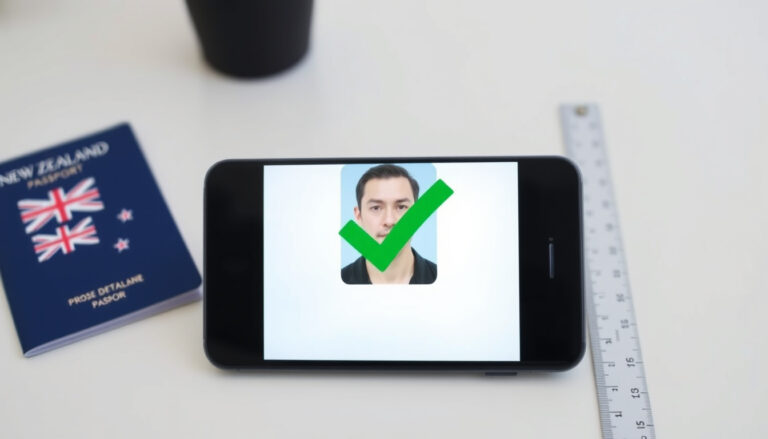 Passport Photo Checker NZ: Free Online Tool & Requirements
 La Vie Est Belle Lancôme: Scent, Facts & Myths
 Time in Gold Coast: Time Zone, Daylight Saving & Travel Tips
 Trade Me Jobs Rotorua: Find Part-Time, Urgent & Full-Time Work
