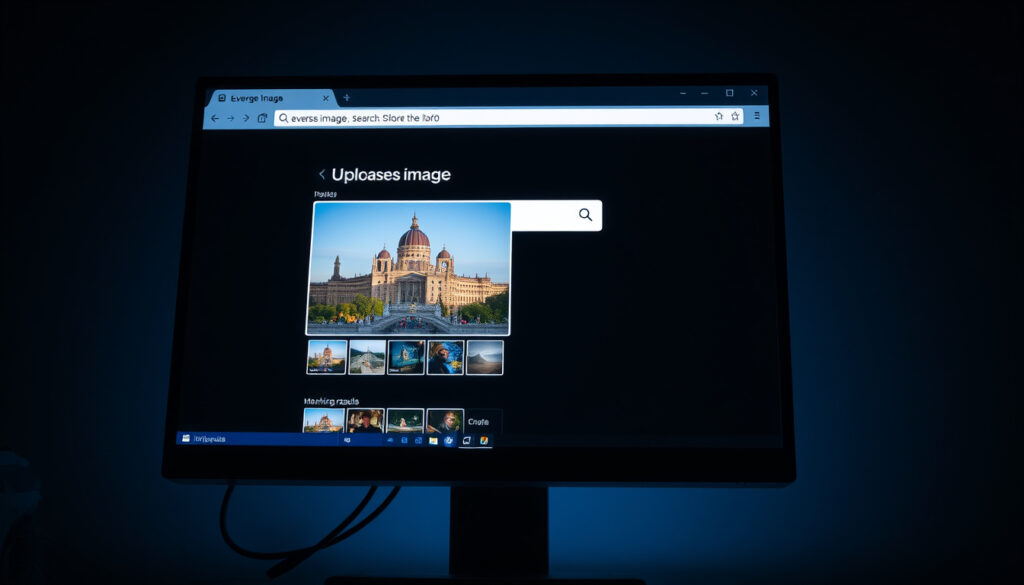
How to Reverse Image Search – Step-by-Step 2025 Guide
Finding the original source of an image, verifying authenticity, or tracking down a resized version has become a common online task. Reverse image search lets users start with a picture instead of text, using visual similarity to surface matches across the web. In 2025, the process works on both desktop computers and mobile devices, with several free tools offering reliable results for most everyday needs.
Whether checking if a photo has been manipulated, finding higher-resolution copies, or identifying products and landmarks, reverse image search provides a straightforward solution. The major search engines and specialized services now support uploads, URL submissions, and direct camera access, making the technology accessible to anyone with a smartphone or computer.
This guide covers the step-by-step process for the most popular tools, compares their strengths, and explains how to use them effectively on both desktop and mobile devices.
How to Reverse Image Search on Google (Step-by-Step)
Google remains the most widely used option for reverse image searches, largely due to its massive database and integration across devices. The process differs slightly between desktop and mobile, but both methods produce results within seconds.
Google handles broad discovery with the largest index. TinEye excels at finding exact matches and tracking modifications. Yandex offers strong facial recognition and international content. Bing provides AI-powered object detection for products and shopping.
| Tool | Free Tier | Mobile App | Best Accuracy For | Unique Features |
|---|---|---|---|---|
| Google Lens | Unlimited | iOS & Android | Similar images, keywords | Massive database, visual search |
| TinEye | Unlimited | Browser/Extensions | Exact matches, modified versions | Date sorting, copyright tracking |
| Yandex | Unlimited | Browser/App | Faces, international content | Facial recognition, broad indexing |
| Bing Visual Search | Unlimited | iOS & Android | Products, objects, shopping | AI crop-and-search, object detection |
Performing a Reverse Image Search on Desktop
On a desktop computer, Google Images provides the main interface. Navigate to images.google.com and locate the camera icon in the search bar. Clicking it opens options to either paste an image URL, upload a file from your computer, or drag and drop an image directly into the browser window. According to Google’s official documentation, users can also simply drag an image onto the search bar to initiate the search.
Once the image is submitted, Google processes it and displays results showing visually similar images, pages containing the image, and other sizes or crops of the same picture. The results page includes filters for size, time, and type, helping narrow down the most relevant matches.
Handling Cropped, Edited, or Screenshots
Google Lens handles partial images effectively, allowing users to select specific regions within a larger photo. This proves useful when searching screenshots or cropped portions of original images. The tool identifies similar visuals across different sizes and contexts, even when the image has been significantly modified.
- Google dominates approximately 80% of reverse image search usage globally
- Mobile apps often provide faster results than desktop browsers for quick lookups
- Combining multiple tools improves overall accuracy, as no single service excels in every scenario
- All major free tools process images temporarily without permanent storage
- Heavy image edits or watermarks can significantly reduce match accuracy
- Yandex tends to outperform other tools for facial recognition and international content
| Metric | Details |
|---|---|
| Primary Tool | Google Images / Lens |
| Steps Required | 3-5 (open site, locate camera, upload/search) |
| Success Rate | 70-90% for unmodified images |
| Mobile Accessibility | Full support via apps and browser |
| File Formats Supported | JPG, PNG, GIF, WebP, BMP |
| URL Submission | Yes, all major tools |
| Privacy | Temporary processing; VPN recommended for sensitive images |
Best Reverse Image Search Tools in 2025
While Google attracts the most users, other services offer distinct advantages depending on the task. Understanding what each tool does well helps users choose the right option for specific needs.
Google: General Use and Broad Discovery
Google’s reverse image search benefits from the company’s enormous web index, making it ideal for finding similar images, discovering where a photo originated, or locating higher-resolution versions. The integration with Google Lens adds visual search capabilities that can identify objects, plants, animals, and text within images. For most general-purpose searches, Google provides the fastest and most comprehensive results.
TinEye: Copyright Tracking and Exact Matches
TinEye specializes in finding exact matches and tracking how images have been modified over time. Unlike Google, TinEye indexes images rather than webpages, meaning it can locate resized, cropped, or color-adjusted versions of the same photo. This makes it particularly valuable for photographers, content creators, and legal professionals who need to track image usage or verify originality.
Yandex: Faces and International Content
Yandex, Russia’s largest search engine, offers surprisingly strong reverse image capabilities, particularly for facial recognition and international content. Many users find that Yandex outperforms competitors when searching for people, as its indexing prioritizes European and Asian websites that other tools may miss.
Bing: Products, Objects, and AI Features
Microsoft’s Bing Visual Search incorporates AI-powered object detection that works well for shopping-related queries. The crop-and-search feature lets users highlight specific portions of an image to focus the search. Bing integrates with the Edge browser and offers dedicated apps for both iOS and Android.
No single reverse image search tool excels in every situation. Starting with Google provides speed and broad coverage, then cross-checking with TinEye for exact matches or Yandex for faces often yields the most complete picture. Each service has different database coverage, so results vary depending on the image and intended use.
How to Reverse Image Search on Mobile (iPhone and Android)
Mobile reverse image search has become increasingly important as more users access the internet primarily through smartphones. Both iPhone and Android offer multiple methods for performing visual searches directly from the device.
Using Google Lens on Mobile Devices
Google Lens is integrated directly into the Google app for both platforms. On an iPhone, users can open the Google app, tap the camera icon in the search bar, and either take a new photo or select one from the gallery. Android users access Lens through the Google app, Google Photos, or Chrome browser by long-pressing an image and selecting “Search with Google Lens.”
The Google Lens interface allows users to translate text, identify objects, scan barcodes, and find visually similar images. Results appear instantly with options to explore related content, view pages featuring the image, or shop for similar products.
iPhone-Specific Options
Beyond Google Lens, iPhone users can access reverse image search through Safari by visiting images.google.com and using the camera upload feature. The Bing app provides an alternative with its own visual search capabilities, while Safari extensions exist for TinEye and Yandex. Apple’s Photos app also supports Google Lens integration, allowing users to select any photo and run a reverse search without leaving the native app.
Android-Specific Options
Android devices offer seamless integration between Chrome and Google Lens, enabling reverse searches directly from web pages. Users can long-press any image in Chrome, tap “Search image with Google,” and receive results immediately. The Yandex app provides another robust option specifically strong for facial recognition, while the Bing app adds Microsoft’s AI-powered search features.
When searching sensitive images on mobile devices, consider using a VPN to encrypt traffic. While all major free tools process images temporarily without long-term storage, Yandex may log more data due to regional regulations. For highly sensitive content, avoid uploading directly to search engines and instead use browser-based uploads with privacy-focused settings enabled.
What Is Reverse Image Search and Common Use Cases
Reverse image search represents a shift from traditional keyword-based queries to visual-based discovery. Instead of describing what you are looking for in text, users provide an image as the starting point. The search engine then analyzes visual features such as colors, shapes, patterns, and textures to find matches in its index.
Verifying Authenticity and Fact-Checking
One of the most practical applications involves verifying the authenticity of images found online. When encountering a photo shared as news or on social media, reverse image search can reveal whether the image has been taken from a different context, digitally manipulated, or previously published elsewhere. This capability proves valuable for journalists, researchers, and anyone trying to combat misinformation.
Finding Higher Resolution or Original Versions
Images shared online often get compressed or resized, resulting in quality loss. Reverse image search helps locate the original, full-resolution version by tracking where else the image appears across the web. Photographers and designers frequently use this feature to recover higher-quality assets or identify the source of inspirational imagery.
Copyright Tracking and Source Attribution
Content creators and businesses use reverse image search to monitor how their images are being used across the internet. TinEye, in particular, offers detailed tracking that can identify when and where modified versions of an image appear. This helps enforce copyright protections and ensure proper attribution.
Shopping and Product Identification
Finding products spotted in photos or videos has become streamlined through reverse image search. Bing’s visual search excels at identifying clothing, accessories, electronics, and furniture, often returning direct shopping links. Google Lens similarly supports product identification, making it easier to find where to purchase items based on visual appearance alone.
Research and Academic Applications
Researchers use reverse image search to trace the provenance of historical images, verify citations, and locate related visual materials. Art historians might search for original works versus reproductions, while scientists can identify species or geological formations photographed in the field.
The Evolution of Reverse Image Search Technology
Reverse image search technology has developed significantly over the past two decades, moving from experimental features to essential everyday tools.
- 2008: TinEye launches as one of the first dedicated reverse image search engines, focusing on exact match technology and copyright tracking.
- 2011: Google introduces Google Goggles, an early mobile app that could identify objects, landmarks, and text using image recognition.
- 2013: Google Images adds reverse image search functionality to its desktop platform, significantly increasing public accessibility.
- 2018: Google Lens launches, combining visual search with AI-powered object recognition and translation features.
- 2019-2025: Major search engines integrate AI enhancements, improving accuracy for similar image matching, facial recognition, and product identification.
Accuracy, Limitations, and What to Expect
Understanding the capabilities and limitations of reverse image search helps set realistic expectations and achieve better results.
| Established Information | Information That Remains Unclear |
|---|---|
| Exact matches return high accuracy across all tools | Heavy edits and watermarks significantly reduce match rates |
| TinEye provides the most reliable exact match results | Success rates vary considerably based on image quality and uniqueness |
| Google offers the broadest database for similar image discovery | Small portions of images (cropped areas) yield inconsistent results |
| Yandex excels at facial recognition compared to competitors | Some regional content remains indexed unevenly across tools |
| All major free tools process images temporarily without persistent storage | Privacy implications of uploading personal images to search engines |
| Bing’s AI crop-and-search works well for products and objects | Future integration of AI tools like Pixsy into free offerings |
Understanding the Technology Behind Visual Searches
Reverse image search relies on complex algorithms that extract visual features from images and compare them against indexed databases. Modern approaches combine traditional image analysis techniques with machine learning models that can recognize objects, faces, text, and visual patterns.
The technology continues to evolve, with AI playing an increasingly important role in improving accuracy and expanding capabilities. While current tools work well for most everyday needs, they remain imperfect, particularly when dealing with heavily modified images or rare visual content.
Sources and Expert Guidance
“Free tools dominate the reverse image search landscape in 2025, with unlimited searches available across all major platforms. Combining multiple tools improves overall accuracy, as no single service excels in every scenario.”
— Analysis based on multiple technology reviews and tool comparisons, aibudwp.com, ucartz.com
“Accuracy is highest for exact matches on TinEye and similar images on Google and Yandex, but decreases for heavily edited images. Using a VPN when searching sensitive images is recommended to maintain privacy.”
— Privacy and accuracy analysis, undetectable.ai
Summary and Getting Started
Reverse image search has become an accessible and practical tool for everyday internet users. Whether verifying a photo’s authenticity, tracking down the source of an image, finding higher resolution versions, or shopping for products spotted online, the technology offers straightforward solutions across desktop and mobile devices.
Starting with Google provides the broadest coverage for most general needs. For specific use cases like copyright tracking, facial recognition, or product identification, specialized tools like TinEye, Yandex, or Bing may deliver better results. Combining multiple services often yields the most complete picture when accuracy matters most.
Those interested in exploring further can learn about related topics such as The Quick and the Dead – Meaning, Origin and History or tech investigations like Rod and Gun NZ – Verified Facts and Unverified Claims.
Frequently Asked Questions
Can I reverse search a screenshot?
Yes, most reverse image search tools handle screenshots effectively. Google Lens and Bing excel at processing partial images and cropped areas. For best results, ensure the screenshot is clear and contains enough visual detail for the search algorithm to match against.
How accurate is reverse image search?
Accuracy varies significantly depending on the image and tool. Exact matches achieve 70-90% success rates on unmodified images. Heavy edits, watermarks, low resolution, or small portions of images reduce accuracy considerably. Combining multiple tools improves overall reliability.
Is there a free reverse image search option?
All major reverse image search tools—Google, TinEye, Yandex, and Bing—offer free unlimited searches. No subscription or payment is required for basic functionality on any of these platforms.
What is reverse image search used for?
Common uses include verifying authenticity and fact-checking, finding original or higher-resolution image sources, tracking copyright and image usage, identifying products for shopping, researching faces or locations, and academic research involving visual materials.
How do I reverse image search on my phone?
On mobile devices, use Google Lens through the Google app, Chrome browser, or Google Photos. Open the app, tap the camera icon, and either capture a new image or select one from your gallery. iPhone users can also access reverse search through Safari or dedicated apps like Bing.
What is the best reverse image search tool?
No single tool ranks best for all purposes. Google offers the largest database for general discovery. TinEye leads for exact matches and copyright tracking. Yandex excels at facial recognition. Bing provides strong AI features for products and objects. Many users combine tools for comprehensive results.
Does reverse image search work on edited images?
Tools like TinEye specialize in finding modified versions including resized, cropped, or color-adjusted images. However, accuracy decreases with significant modifications. Yandex also handles edited images well, particularly for facial recognition. Heavy watermarks or extensive alterations may prevent matches entirely.
More related posts
 Warehouse Stationery St Lukes: Hours & Info
 Korean Chicken Near Me: Health, Flavors & Top Spots
 Flight Auckland to Sydney: Time, Airlines, Prices & Schedule
 PGA Championship Prize Money 2026: Full Payout Breakdown
 Chelsea vs Manchester United Lineups: Predicted XI & Head-to-Head
 Wet and Forget Christchurch: Buy, Recall, and Usage Guide
 Can Dogs Eat Garlic? Vet-Approved Safety & Risks
 All Blacks Team to Play France – What We Know So Far
