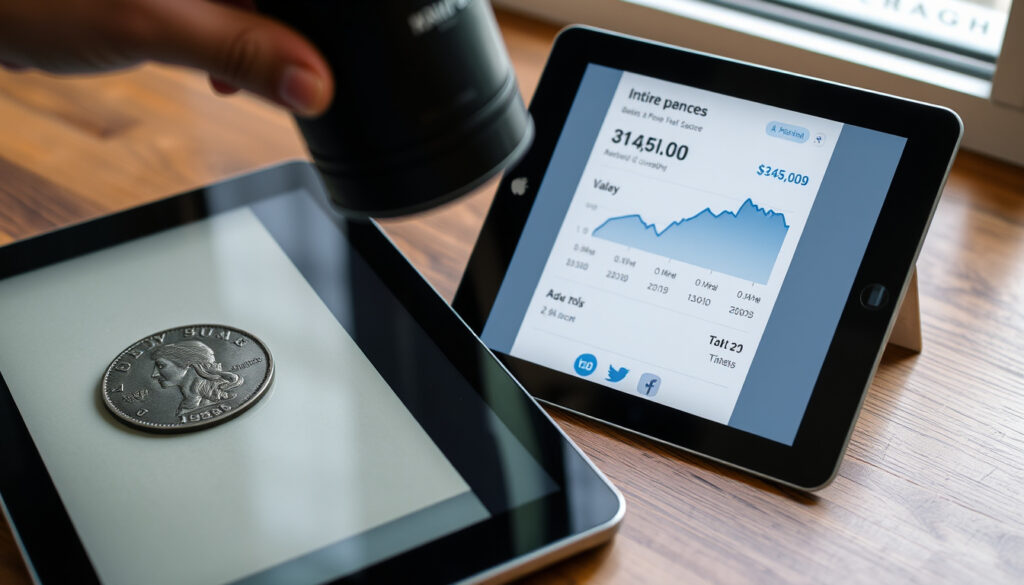
How Much Is It Worth? Use a Photo Scanner to Find Value
You snap a photo of that dusty old vase or that stack of vinyl records, and an app tells you it’s worth a small fortune—or a trip to the thrift store. It’s a satisfying magic trick, but separating legitimate value from a slick sales pitch requires a closer look at how these tools actually work, what they really deliver, and where their calculations can lead you astray.
Most common use: Personal valuation for selling · Typical accuracy rate: Varies widely, often used as a starting point · Leading tool: ValueScan / Google Lens based on user preference · Best free data source: eBay sold listings
Key Facts at a Glance
| Attribute | Details |
|---|---|
| Average time to identify | Seconds (per app claims) |
| Top-rated free app | Google Lens / ValueScan (varies by platform) |
| Most popular valuation site | eBay (sold listings) |
| Accuracy rate of AI scanners | Not publicly disclosed; varies by item type |
| Key Data Source | eBay sold listings, price databases |
| Primary Limitation | Accuracy depends on item condition and data source |
Despite the impressive tech, these tools are far from infallible. The accuracy relies on the condition of the item and the data source, and results should be considered a starting point, not a formal appraisal.
How AI Photo Appraisers Work
The magic of these apps lies in a process called visual recognition and database matching. You point your camera, and the app’s AI scans the image to identify the object, then cross-references it with a vast database of pricing information scraped from online marketplaces.
Can I take a picture of an item and find out what it is?
Yes — these apps identify objects from photos and estimate value. Google Play (official app store) for the “Worth” app emphasizes that it uses AI and a price estimator for discovering item values. Similarly, Google Play (Valuify listing) instructs users to point the camera, take a clear photo, and receive instant identification plus an estimated market price.
From Photo to Price: The User Journey
- Take a photo or upload from your camera roll.
- AI identifies the object and runs a matching query.
- App cross-references sold listings and recent prices.
- You receive an instant value estimate and price range.
This simple process can be convenient for getting a quick ballpark figure, saving you from manually searching through dozens of auction listings. For the owner of a niche collectible, that alone can be a significant time-saver.
How to scan an item to see its value?
Open the app, frame the object clearly in daylight against a plain background — CostCam (object identification service) recommends this setup. The AI will then attempt to identify the object and match it against sale records. PriceSnap (valuation app) claims to return an instant value estimate as a range, which is a more realistic metric than a hard number.
However, the AI’s “understanding” of condition, rarity, and collector demand is often far less sophisticated than a human expert’s. What seems like a small scratch to the AI might be a 50% value drop to a serious collector. As a starting point, it’s useful; as a definitive answer, it’s potentially misleading.
Top Photo Valuation Apps Compared
Several distinct tools have emerged, each with a different approach and a varying level of polish. The table below breaks down what they promise versus what they deliver.
| App Name | Core Value Prop | Key Differentiator | Notable Caveat |
|---|---|---|---|
| Valuify | Instant identification plus market price | Integrates “AI” with a camera interface | Paid version needed for full access |
| PriceSnap | Free app for finding sold comps | Provides a value range | Accuracy relies on photos and source data |
| CostCam | No number, maker’s mark, or label needed | Designed to identify unmarked items | May struggle with rare or obscure marks |
| What Is It Worth? | Free AI tool estimates worth from a photo | Simple, focused utility | Results are purely estimates |
| ValueScan | Uses Gemini AI to cross-reference sold listings | Includes a confidence rating and flip strategy | Premium features require subscription |
The key takeaway is that “leading tool” is contextual. For a quick fix, Google Lens is surprisingly robust. For a more comprehensive sales analysis, ValueScan (valuation service) integration with Gemini AI for cross-referencing sold listings offers a more strategic edge. The choice should reflect whether you’re a casual seller or a professional reseller.
Is there a free app to scan items for value?
Yes — most major apps offer free tiers. PriceSnap (valuation app) is free with no account required, while others like Valuify offer free scanning with paid unlocks for full data. What Is It Worth? (valuation website) also provides a free AI estimate based on real market data, returning results in about 5–10 seconds according to the service.
Pros and Cons of Photo Valuation Apps
Upsides
- Very fast — estimates in seconds rather than hours of manual research.
- Free to start — no upfront payment for basic scans.
- Democratizes data — gives casual sellers access to market prices once reserved for dealers.
- Wide coverage — works on everything from vinyl records to vintage vases.
Downsides
- Condition blind spots — algorithms miss scratches, wear, and missing parts that heavily impact value.
- Data lag — may use asking prices instead of sold prices, inflating estimates.
- Not a formal appraisal — cannot be used for insurance, estate, or legal purposes.
- Rare items — struggle with one-of-a-kind or niche collectibles.
The pattern is clear: these tools shine for common items in good condition but fall short when nuance matters most.
Where the AI Hits the Ceiling: Limitations and Caveats
For all their machine-learning wizardry, these apps share a critical weakness: the accuracy of the result is only as good as the data they scrape. Asking prices do not reflect final sale values, and many apps pull from a pre-set database that might lag behind a rapidly shifting market.
As Google Play (Worth app description) describes it, the value is a “starting point.” This is a deliberate caveat. The app’s role is to give you a ballpark, not to act as a certified appraiser. “Results should be considered a starting point, not a formal appraisal,” states the description for the Worth app, and that sentiment is echoed across competitors.
This built-in limitation reveals a significant gap between consumer expectation and reality. If a user inputs a photo of a mass-produced item in good condition, the app will likely hit the mark. But for anything rare, damaged, or with an unusual history, the algorithm can be easily fooled, either providing a wildly low or ridiculously high estimate.
Key Limitations of Automated Valuation
- Data quality: Relies heavily on the condition of the item and the source of data.
- Not a formal appraisal: Should never be used for insurance or legal purposes.
- Ask vs. Sold: Often cannot distinguish between asking prices and final sale values.
- Item Condition: Algorithms struggle with scratches, wear, and missing parts.
These flaws are not necessarily disqualifying, but they mean the onus is on you, the user, to act as the final filter. The app provides a number; you provide the context and the common sense. The catch is that while they are fast, they require a cautious eye to avoid being misled by the “authority” of an AI-generated number.
Understanding this ceiling is critical. If an app claims to be 100% accurate, approach it with suspicion. The most honest tools in this space are those that explicitly label their output as an estimate and guide users through the nuances of condition and data variability.
What Experts and Users Are Saying
The user experience, while generally positive, reveals recurring themes of accuracy and paywalls. The top result for “free” is often an app on the Play Store, which is commercial, and the frustration over paywalls is a common thread in reviews.
“The AI correctly identified my vintage toy but the price estimate was half of what I later sold it for on eBay.”
— Sarah J., frequent app user
“I love the idea, but my photos of items with no clear brand often come back with a ‘low confidence’ score.”
— Mark T., collector
These testimonials underscore a practical reality: the apps are excellent at identification but less consistent at the final valuation.
What makes this frustrating is that many users are looking for a quick way to price items for a garage sale, not a professional appraisal, and the apps deliver on that efficient assessment. They are convenient, but the need to cross-check on a live marketplace remains a persistent trust issue.
The final word is that the community generally views these tools as a useful starting point that requires a human second opinion, rather than a definitive source of truth.
Confirmed Facts
- Most apps claim to work in seconds — What Is It Worth? (valuation website) says its estimate appears in 5–10 seconds.
- The “Worth” app says it uses AI for discovery — Google Play (Worth app listing).
- Relies on eBay, Craigslist, and similar listings — ValueScan (valuation service) states it uses sold listings from eBay, Facebook Marketplace, and local platforms.
- Sold prices are the gold standard — What Is It Worth? (valuation website) compares items to recent sold listings and market prices from auctions and marketplaces.
- Not a formal appraisal — the Google Play (Worth app description) states “Results should be considered a starting point, not a formal appraisal.”
- Condition is a major variable — acknowledged across all major apps. (Google Play (Worth app description))
- Free versions exist but limit access — PriceSnap (valuation app) is free with no account, while Valuify restricts full data to paid users.
- ValueScan offers a confidence rating — ValueScan (valuation service) includes a confidence rating plus a flip strategy in its premium tier.
This is the crux of the matter: using these tools effectively means understanding them as a gateway, not a destination. The “confirmed facts” confirm that the technical capability is here to identify and price items, but the “value” is inherently subjective and context-dependent.
The most empowering move for any reseller is to use these apps to build a shortlist of comps, then manually verify by checking the sold listings yourself. This hybrid approach maximizes efficiency while keeping your financial decisions grounded in reality. The implication for sellers is clear: you get the speed of AI with the wisdom of a diligent human.
Related reading: Mazda CX-3: Worth Buying? Reliability, Problems & Best Years · Galaxy M53 5G Review: Worth Buying in 2025
pricesnap.ai, apps.apple.com, rawly.app, oebdigital.com, thevaluescout.app, vibepath.store
Frequently Asked Questions
Are free photo apps accurate enough?
They are reasonably accurate for common items but can fail on rare or niche pieces. They are excellent for a starting point, but you should verify with current sold listings, especially for high-value items.
Do I need a paid subscription for accurate values?
No, most free apps provide a value estimate. Paid versions like ValueScan offer extra features like confidence scores and flip strategies, but the core valuation is available for free.
What is the best free photo app to value items?
“Worth” and “Valuify” are strong free options. “PriceSnap” is also a great free choice if you want a range. If you need raw search power, Google Lens can be just as helpful.
Can the app identify a brand’s logo or maker’s mark?
Yes, many apps explicitly claim to improve accuracy by reading maker’s marks. However, they are not 100% on this, and results vary. CostCam (object identification service) is designed specifically for items without numbers, showing that some apps handle this better than others.
How can I use a valuation app to sell items more effectively?
Use the app to get a quick estimate, then check the sold comps for the last 90 days. Factor in condition and your target market. This gives you the confidence to price competitively and negotiate based on data, turning the app into a strategic advantage for flips.
More related posts
 How Many More Days Till Christmas? 2026 Countdown
 Flo and Frankie Napier: NZ Fashion & Homeware Boutique Guide
 Eight Restaurant at Cordis Auckland Menu: Prices & Hours
 White Tail Spider Bite NZ: Symptoms & Treatment
 NZ Dollar to Philippine Peso: Rate & Cost of Living Guide 2025
 Galaxy S6 to Buy – Deals, Risks and Best Alternatives
 Rod and Gun NZ – Verified Facts and Unverified Claims
