Latency vs Bandwidth: What’s the Difference
If you’ve ever watched a video buffer while your download speed seemed fine, you’ve already felt the difference between latency and bandwidth: latency measures the delay in milliseconds, while bandwidth is the data pipe size in Mbps. Understanding how they work independently can save you from buying the wrong internet plan and help you fix real performance problems.
Average internet latency in the US: 15–20 ms ·
Theoretical minimum latency (light speed, 1000 miles): ~5 ms ·
Typical fiber internet bandwidth: 1000 Mbps (1 Gbps) ·
Gaming latency threshold: <50 ms good, >100 ms bad ·
Bandwidth required for 4K streaming: ~25 Mbps
Quick snapshot
- Latency and bandwidth are independent metrics (AWS (cloud infrastructure provider)).
- Fiber internet typically delivers 10–20 ms latency (HighSpeedInternet.com (consumer broadband guide)).
- Gaming requires under 50 ms for a good experience (BroadbandNow (ISP comparison site)).
- Whether 5G will consistently achieve sub-10ms latency in real-world conditions.
- Optimal bandwidth requirements for future VR and AR applications.
- Latency is measured in milliseconds — typical fiber connections: 10–20 ms (Khan Academy (educational platform)).
- Bandwidth is measured in Mbps — 1 Gbps fiber is standard in many regions (IBM Think (enterprise technology research)).
- Low-earth-orbit satellite internet (Starlink) aims for 20–40 ms latency.
- Wi-Fi 7 promises lower latency for real-time applications.
Here’s a quick reference for the key metrics.
| Measure | Value |
|---|---|
| Latency measurement unit | Milliseconds (ms) |
| Bandwidth measurement unit | Megabits per second (Mbps) |
| Theoretical minimum latency | ~0 ms (speed of light limit) |
| Typical fiber internet latency | 10–20 ms |
| Bandwidth needed for 4K streaming | 25 Mbps |
What is latency vs bandwidth?
What is latency?
Latency is the time it takes for data to travel from source to destination, measured in milliseconds — the round-trip delay you feel when you click a link and wait for a response. According to IBM Think (enterprise technology research), latency is “the time delay for data to travel between points.” Think of it as the delay in a conversation: low latency means instant replies, high latency means awkward pauses. The Kentik network observability platform notes that latency is often discussed as round-trip time (RTT) — the time for a packet to reach its destination and come back.
What is bandwidth?
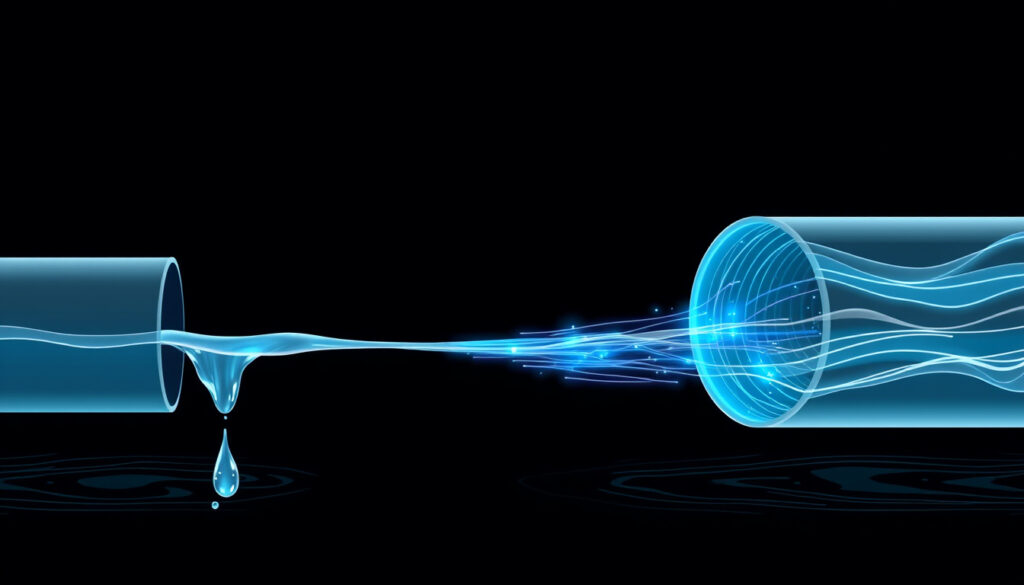
Bandwidth is the maximum amount of data that can be transferred per second, measured in Mbps or Gbps. IBM Think (enterprise technology research) defines bandwidth as “the maximum amount of data a network can carry at a given time.” It’s the width of the pipe — a wider pipe lets more water through at once. AWS (cloud infrastructure provider) explains that bandwidth focuses on data volume, while latency focuses on delay.
How do they work together?
Latency and bandwidth are independent variables. AWS (cloud infrastructure provider) states that “more bandwidth does not necessarily reduce latency.” A high-bandwidth connection can still have high latency, and vice versa. For example, a satellite link may have high bandwidth but 500 ms latency — great for downloading files, terrible for gaming. Conversely, a fiber line with low latency but limited bandwidth will handle real-time chat well but choke on 4K video streams. The High Performance Browser Networking guide notes that latency is often the main performance bottleneck for websites, not bandwidth.
Gamers can’t buy their way out of high latency with more bandwidth. A 1 Gbps connection won’t fix a 200 ms ping — the delay is baked into the physics of the route.
What is a good latency for internet?
Is 20 ms latency good?
Yes — 20 ms is excellent. Gaming and video calls feel instant. BroadbandNow (ISP comparison site) reports that under 50 ms is ideal for data-intensive activities. Fiber connections typically deliver 10–20 ms, according to HighSpeedInternet.com (consumer broadband guide).
What about 40 ms?
40 ms is still good for most uses. GetStream (real-time API provider) considers under 50 ms ideal; 50–100 ms is average for gaming. For video calls, PingPlotter (network diagnostics tool) notes that latency below 150 ms is acceptable.
What is considered bad latency?
Above 100 ms is poor for gaming — you’ll notice lag and rubber-banding. PingPlotter (network diagnostics tool) says latency above 200 ms becomes perceptible to humans in everyday browsing. BroadbandNow (ISP comparison site) warns that network congestion can push latency above 150 ms even on a fast plan.
For a smooth experience, aim for under 30 ms on fiber. If you’re on cable or DSL, 40–60 ms is typical and usable — but above 100 ms is a red flag for real-time apps.
What this means: for most users, aiming for under 30 ms on fiber is ideal, but 40-60 ms is still usable.
Does higher bandwidth mean higher latency?
Why bandwidth doesn’t affect latency
Bandwidth and latency are independent by design. AWS (cloud infrastructure provider) explains clearly: “more bandwidth does not necessarily reduce latency.” Adding a wider pipe doesn’t make data travel faster — it just lets more flow at once. A 1000 Mbps connection and a 100 Mbps connection over the same fiber route will have nearly identical latency.
Can high bandwidth increase latency due to buffering?
Yes — a phenomenon called bufferbloat. When a router buffers too much data on a high-bandwidth link, it can actually increase latency under load. Kentik (network observability platform) notes that high bandwidth can help throughput, but high latency can still make interactions feel slow. Enabling Quality of Service (QoS) settings can reduce the impact, as BroadbandNow (ISP comparison site) recommends. The pattern: more bandwidth rarely hurts latency, but poor router configuration can. The implication is that buying a 2 Gbps plan won’t fix a laggy game — you need to address the delay path.
Why is my latency so high but my internet is good?
What causes high latency?
Distance, network congestion, Wi-Fi interference, and ISP routing are the main culprits. BroadbandNow (ISP comparison site) lists congestion as a top cause. HighSpeedInternet.com (consumer broadband guide) adds that damaged cables can create “speed bottlenecks and high latency.” Even a fast fiber connection can have high latency if the server is on the other side of the globe.
How to diagnose latency issues
Run a ping test to a known server (e.g., 8.8.8.8). Kentik (network observability platform) recommends comparing results over multiple hours to distinguish temporary congestion from persistent routing problems. If latency spikes at peak times, congestion is likely.
Ways to reduce high latency
- Use Ethernet instead of Wi-Fi — wired connections eliminate interference.
- Update router firmware and check hardware compatibility (BroadbandNow (ISP comparison site)).
- Enable QoS settings to prioritize gaming or video call traffic (BroadbandNow (ISP comparison site)).
- Contact your ISP if the issue persists — routing problems may need a professional fix.
What this means: a “good” internet plan with high bandwidth can still feel sluggish on real-time apps if latency is the hidden bottleneck. The fix is often in your home network, not your bill.
How to improve your gaming latency?
Use wired connection
Ethernet provides lower latency than Wi-Fi, which can add 10–30 ms of jitter. HighSpeedInternet.com (consumer broadband guide) recommends wired connections for gaming.
Optimize router settings
Enable game mode if your router supports it. BroadbandNow (ISP comparison site) suggests that QoS settings can prioritize gaming traffic over streaming and downloads.
Close background applications
Active downloads, streaming, or cloud backups can consume bandwidth and cause bufferbloat, increasing latency. Pause them during gaming sessions.
Choose game servers close to you
Distance is a major factor in latency. A server 1000 miles away has a theoretical minimum of ~5 ms (speed of light), but real-world routing often adds 30–80 ms. Pick the nearest region in your game’s settings.
The catch: even with optimal settings, physics limits latency. For gamers in remote areas, satellite internet may never replace fiber for competitive play.
This side-by-side comparison clarifies the differences.
| Dimension | Latency | Bandwidth |
|---|---|---|
| Definition | Time delay for data to travel | Maximum data transfer rate |
| Measurement unit | Milliseconds (ms) | Mbps or Gbps |
| What it affects | Responsiveness, real-time feel | Download/upload speed, capacity |
| Typical fiber value | 10–20 ms | 1000 Mbps (1 Gbps) |
| Gaming requirement | Under 50 ms for good experience | 25–100 Mbps sufficient |
| 4K streaming requirement | Under 150 ms (tolerable) | 25 Mbps minimum |
| Can be improved by | Shorter distance, wired connection, QoS | Higher-tier plan, fiber upgrade |
Five metrics, one pattern: latency and bandwidth are independent — you have to diagnose both to fix performance issues.
What’s Clear and What’s Unclear About Network Performance
Confirmed facts
- Latency and bandwidth are independent metrics (AWS (cloud infrastructure provider)).
- Fiber has lower latency than cable or DSL (HighSpeedInternet.com (consumer broadband guide)).
- Gaming requires low latency; high bandwidth alone doesn’t fix lag (BroadbandNow (ISP comparison site)).
What’s unclear
- Whether 5G will consistently deliver sub-10ms latency under real-world load.
- Optimal bandwidth for future VR/AR applications — estimates range from 50 Mbps to 500 Mbps per user.
The pattern: while some aspects are confirmed, others remain uncertain, especially with emerging technologies.
What Experts Say
“Bandwidth is the width of the pipe — how much water can flow through at once. Latency is the delay in getting the water to the tap.”
— Network Academy (educational networking site)
“Latency is the delay in network communication. Bandwidth is the amount of data you can send and receive in one second.”
— AWS (cloud infrastructure provider)
“Bandwidth is the amount of data you can send and receive in one second. Latency is the amount of time used by data to reach its destination and come back.”
— HighSpeedInternet.com (consumer broadband guide)
Final Takeaway
Latency and bandwidth are two independent dials on your network performance panel. Most people boost bandwidth when they feel slow internet, but the real fix for gaming, video calls, and real-time apps is often reducing latency. For gamers in the US, the decision is clear: prioritize a wired fiber connection with low ping over a high-bandwidth cable plan. The consequence for gamers is clear: prioritizing bandwidth over latency leads to living with lag that no speed upgrade can cure.
Related reading: **What Is a Commuter Bike? Meaning, Differences & Best Picks 2026**
Frequently asked questions
What is a ping?
Ping is a utility that measures round-trip time (latency) to a server. A low ping means fast response. It’s measured in milliseconds.
Does using a VPN increase latency?
Yes, because your traffic is routed through an additional server. Expect a 10–50 ms increase depending on the VPN provider and server location.
Is 500 Mbps fast enough for a family?
Yes — 500 Mbps can handle multiple 4K streams, video calls, and gaming simultaneously. Bandwidth is rarely the bottleneck for a typical family; latency matters more for real-time apps.
What is jitter?
Jitter is the variation in latency over time. High jitter causes stuttering in video calls and games. Stabilizing your connection (Ethernet, QoS) reduces jitter.
How to test latency on my network?
Use a ping command (e.g., ping 8.8.8.8) or a speed test site that reports ping. Run multiple tests at different times for an accurate picture.
Is 40 ms of latency bad for gaming?
No — 40 ms is good for most games. You’ll notice a slight delay in competitive shooters, but it’s well within acceptable range.
How much latency is 100 ping?
100 ms is the threshold where lag becomes noticeable. Fast-paced games will feel sluggish; turn-based or strategy games are still playable.
More related posts
 Why Is My Husband Yelling at Me? Reasons & Solutions
 Full-Time Jobs Christchurch: Salaries & Top Opportunities
 Lice Egg on Finger: ID vs Dandruff & Removal
 Auckland Airport Flight Status: Live Updates & How to Check
 Tips for Networking Events – How to Make Them Count
 San on Hou e Fire: Tragedy and Givealittle Re pon e
 What Makes Sergeant Fish Easy to Recognise
