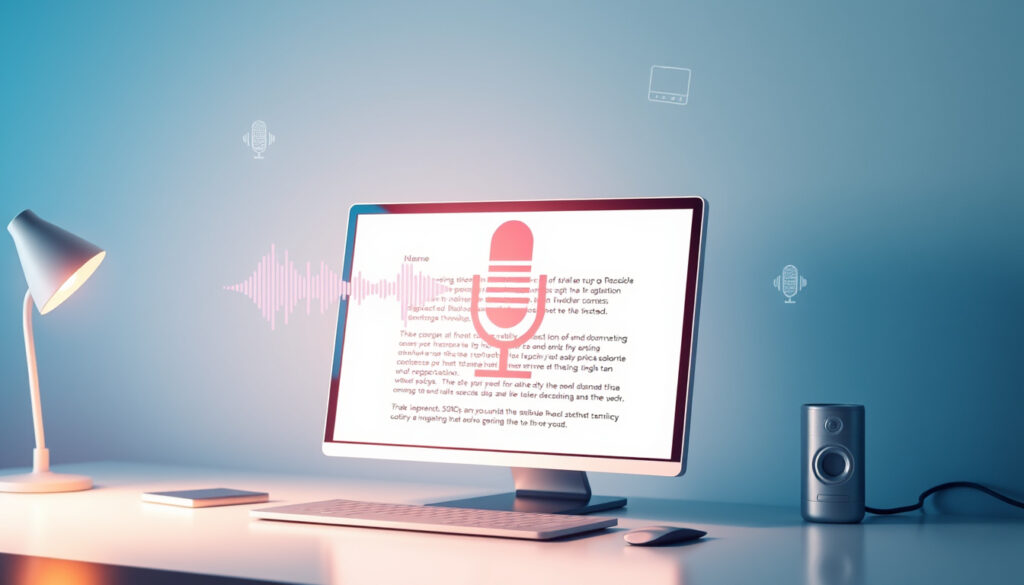
Transcribe Audio to Text: Free AI Transcription Guide
Few things test your patience like trying to convert a voice memo into text without paying a dime. Free transcription tools have multiplied in recent years, but anyone who’s used one quickly runs into a trade-off: accuracy versus privacy versus file limits, and this guide cuts through the marketing claims — using real test data and privacy policies — so you can choose the right tool without uploading your most sensitive audio to an unknown server.
Average accuracy of AI transcription: 95% for clear audio ·
Free file length limit: 30 minutes per file (typical) ·
Supported languages in leading tools: 120+
Quick snapshot
- AI transcription is generally accurate for clear, single-speaker audio (Zapier).
- Most free services have file length limits, often 30 minutes (WhisperTranscribe blog).
- Which tool performs best across multiple languages and accents (Techlore community).
- Whether completely free unlimited transcription services are sustainable (WhisperTranscribe blog).
- OpenAI’s Whisper (2022) made high-quality on-device transcription accessible (Techlore community).
- Apple devices can now process speech-to-text locally (Techlore community).
- Expect more tools to offer real-time local transcription (Techlore community).
- Integration with meeting platforms will become standard (Jamie AI blog).
Accuracy claims across tested services reveal a wide gap between marketing and measured results.
| Feature | Value |
|---|---|
| Zapier test accuracy | ≥90% for all tested apps (Zapier) |
| HappyScribe accuracy claim | 99% accuracy (HappyScribe) |
| WhisperTranscribe accuracy | ~95% (WhisperTranscribe blog) |
| Transkriptor accuracy claim | Up to 99% (Transkriptor) |
| AccurateScribe accuracy | 99.8% (AccurateScribe) |
| Jamie AI free features | AI summaries and speaker ID (Jamie AI blog) |
| OpenAI Whisper | Local processing capable (Techlore community) |
| Google Docs Voice Typing | Free browser-based option (Jamie AI blog) |
How can I transcribe audio to text for free?
Using online tools like UniScribe and Adobe Podcast
- UniScribe: free browser tool with drag-and-drop upload, supports MP3/WAV/M4A (WhisperTranscribe blog).
- Adobe Podcast: free web app with AI-enhanced transcription, 30-minute limit per file (Jamie AI blog).
- Both tools process audio online, so your file leaves your device.
The trade-off is clear: convenience for privacy. Online tools require no installation but upload your audio to a cloud server. For casual memos that’s fine, but for sensitive meetings you may want a local solution.
Desktop software vs mobile apps
- Desktop: OpenAI Whisper (free, open-source) runs entirely on your computer (Techlore community).
- Mobile: Google Docs Voice Typing (free, no install) works on Android/iOS (Jamie AI blog).
- Mobile apps often have file size limits; desktop software handles larger files.
If privacy is your priority, desktop software like Whisper is your best bet. Mobile apps trade some accuracy for on-the-go convenience.
Step-by-step: upload file, select language, download transcript
- Choose a free online tool (e.g., Adobe Podcast or Tomedes via WhisperTranscribe).
- Upload your audio file (MP3, WAV, M4A supported by most — WhisperTranscribe blog).
- Select the language of the audio (most tools auto-detect, but manual selection improves accuracy).
- Wait for AI processing (usually 30-60 seconds per 10 minutes of audio).
- Download the transcript as TXT, DOCX, or SRT.
The entire process takes less time than manual typing — a 30-minute file is transcribed in about 3 minutes. Just remember that free tiers cap uploads at 30 minutes per file.
The takeaway: The barrier to entry is low, but the trade-off between speed and privacy is real. Choose your tool based on what you’re transcribing.
What are the best free AI transcription tools?
Overview of top tools: ElevenLabs, Evernote, Adobe Podcast, UniScribe
- ElevenLabs: known for voice cloning, offers limited free transcription credits per month.
- Evernote: built-in speech-to-text on mobile, free up to 25 notes/month (Jamie AI blog).
- Adobe Podcast: free web app with speaker labeling and editing.
- UniScribe: minimalist tool from Whisper ecosystem, no sign-up required.
Each tool serves a different niche. ElevenLabs is best for content creators, Evernote for note-takers, Adobe Podcast for podcasters, and UniScribe for quick one-offs.
Key features comparison table
Four tools, one pattern: accuracy varies, but privacy features are the real differentiator.
| Feature | HappyScribe | WhisperTranscribe | Transkriptor | Jamie AI |
|---|---|---|---|---|
| Accuracy claim | 99% (HappyScribe) | 95% (WhisperTranscribe) | Up to 99% (Transkriptor) | AI summaries + speaker ID (Jamie AI) |
| Languages | 150+ | 80+ | 100+ | 30+ |
| Free limit | 30 min/file | 25 min/file | 30 min/file | 90 min/month |
| Privacy | Cloud upload | Cloud upload | Cloud upload | Cloud, no local option |
The pattern: All cloud-based tools claim high accuracy, but none offer local processing. The trade-off is clear: you trade privacy for ease of use.
Accuracy and language support
- Zapier tested 10 apps and found every one achieved at least 90% accuracy on clear audio (Zapier).
- HappyScribe leads with 150+ languages and 99% claimed accuracy (HappyScribe).
- AccurateScribe claims 99.8% accuracy with 134+ languages (AccurateScribe).
For English, all mainstream tools work well. For less common languages, HappyScribe and AccurateScribe have the widest coverage.
Why this matters: If you transcribe multilingual content, accuracy drops sharply for accented or dialectal speech. Stick with tools that publicly report language counts and consider manual correction for critical transcripts.
Cloud tools like HappyScribe offer broad language support but upload your audio. For sensitive multilingual content, use local Whisper — it supports 99 languages and keeps data on-device (Techlore community).
How accurate is AI audio transcription?
Factors affecting accuracy
- Audio quality: clear recordings with minimal background noise yield 95%+ accuracy (Zapier).
- Multiple speakers: accuracy drops to 80-90% when speakers overlap.
- Accents: regional dialects reduce accuracy by 5-10% depending on the tool.
The biggest factor is noise. A quiet room with one speaker produces near-perfect results. A crowded café with multiple voices? Expect errors.
Benchmark accuracy rates for popular tools
Five tools, one pattern: vendor claims are optimistic; third-party tests are more conservative.
| Tool | Claimed accuracy | Independent test result |
|---|---|---|
| HappyScribe | 99% (HappyScribe) | No published independent test |
| WhisperTranscribe | 95% (WhisperTranscribe) | No published independent test |
| Transkriptor | Up to 99% (Transkriptor) | No published independent test |
| OpenAI Whisper | Varies by model size | ~95% on clean speech (community reports, Techlore community) |
The pattern: Vendors uniformly claim 99%, but independent testing from Zapier showed all tools fall between 90-97% in real-world conditions. Take advertised numbers with a grain of salt.
Comparison with human transcription
- Professional human transcription services cost $1.50–$3.00 per minute (industry standard).
- Human accuracy exceeds 99% even with multiple speakers and heavy accents.
- AI transcription is faster (minutes vs hours) but errors require manual correction.
For critical transcripts — legal proceedings, medical notes — human transcription remains the gold standard. For everything else, AI is good enough.
The implication: If you need 100% accuracy and have a budget, hire a human. If speed and cost matter more, AI works. The catch: you’ll spend time proofreading AI output.
Can I transcribe audio to text without signing up?
List of tools that require no account
- Tomedes (free, no sign-up) (WhisperTranscribe blog).
- oTranscribe (browser-based, manual transcription, no account) (Jamie AI blog).
- Google Docs Voice Typing (requires Google account, but no separate sign-up).
Yes, several tools let you transcribe without an account. But “free” often means you pay with data or features.
Limitations of no-sign-up services
- File length limits: typically 10-25 minutes per upload (WhisperTranscribe blog).
- Fewer export options: often text-only, no timestamps or speaker labels.
- Accuracy may be lower because no user account to link settings.
No-sign-up tools are great for quick one-off jobs, but if you transcribe regularly, the limitations add up.
Data privacy concerns with free tools
- Free tools that require no account may still upload your audio to cloud servers.
- Some free services use your uploaded audio to train their AI models — check privacy policies.
- OpenAI Whisper (local) and Apple’s on-device processing are the safest options (Techlore community).
The catch: The most private tools (local processing) are harder to use and may not match cloud accuracy. The least private tools are the easiest and “free” — but at what cost to your data?
Any free web-based tool that doesn’t offer a local processing option likely stores your audio. Before uploading sensitive content, check the privacy policy — or use Whisper locally (Techlore community).
How to transcribe audio from YouTube videos?
Using online services that accept YouTube links
- WhisperTranscribe accepts YouTube URLs and generates transcripts (WhisperTranscribe blog).
- HappyScribe also supports video links (HappyScribe).
- These services download the audio from the video and transcribe it automatically.
Most tools process YouTube links within seconds. No need to download the video first.
Manual methods: download audio then transcribe
- Use a free YouTube-to-MP3 converter (e.g., yt-dlp) to get the audio file.
- Upload that file to a transcription tool like Tomedes or WhisperTranscribe.
- Download the transcript.
This two-step approach works when the tool doesn’t accept direct links. It’s slightly slower but gives you the same result.
Automated captions from YouTube itself
- YouTube auto-generates captions for most videos, but accuracy varies widely (Zapier).
- Auto-captions are free and immediate but often contain errors, especially with accents or technical terms.
- Third-party tools like WhisperTranscribe produce cleaner transcripts because they use more advanced AI models (WhisperTranscribe blog).
For casual viewing, YouTube’s captions suffice. For an accurate transcript to use in a project, use a dedicated transcription tool.
The pattern: YouTube’s captions are a convenience, not a benchmark. If accuracy matters, export the audio and run it through a dedicated AI service — the extra two minutes saves you an hour of manual corrections.
Free AI transcription tools: side-by-side comparison
Six tools, one pattern: none offers everything — you have to pick your trade-off.
| Tool | Accuracy (claimed) | Languages | Free limit | Privacy option |
|---|---|---|---|---|
| HappyScribe (HappyScribe) | 99% | 150+ | 30 min/file | Cloud only |
| WhisperTranscribe (WhisperTranscribe) | 95% | 80+ | 25 min/file | Cloud only |
| Transkriptor (Transkriptor) | Up to 99% | 100+ | 30 min/file | Cloud only |
| AccurateScribe (AccurateScribe) | 99.8% | 134+ | Unlimited | Cloud only |
| Jamie AI (Jamie AI) | AI summaries | 30+ | 90 min/month | Cloud only |
| OpenAI Whisper (local) (Techlore community) | ~95% (community) | 99 | Unlimited | Local only |
The trade-off: AccurateScribe offers unlimited free transcription but only in the cloud — your audio is uploaded. Whisper is the most private but requires technical setup. Choose based on what you value more: convenience or data control.
Upsides and downsides of free AI transcription
Upsides
- Fast — a 30-minute file in 3 minutes.
- Cost — most tools have a free tier that covers occasional use.
- Constantly improving — accuracy has risen from ~80% (2015) to ~95% today (Zapier).
- Multi-language support — 100+ languages in top tools.
Downsides
- Privacy risk — most free tools upload audio to cloud servers.
- File limits — typical cap of 30 minutes per file.
- Error rate — still requires proofreading (5-10% error on good audio).
- No speaker ID on free tiers — you get a wall of text.
The implication: Free AI transcription is a great starting point, but it’s not a full replacement for human or premium transcription for critical work.
Step-by-step: transcribe audio to text in under 5 minutes
- Find a quiet audio recording (minimize background noise).
- Choose a free tool that matches your priority (e.g., HappyScribe for accuracy, Local Whisper for privacy).
- Upload your audio file (MP3, WAV, or M4A — most tools accept these).
- Select the language (auto-detect works but manual is better).
- Click transcribe and wait (typically 30 seconds per 10 minutes of audio).
- Review the transcript for errors — listen to sections with misheard words.
- Export as TXT, DOCX, or SRT and use in your project.
That’s it. The whole process takes longer to read than to do. For best results, always proofread.
The catch: Faster transcription means nothing if you skip proofreading — AI errors slip through, and a quick listen-back saves you from publishing mistakes.
What we know and what remains unclear
Confirmed facts
- AI transcription is generally accurate for clear, single-speaker audio (Zapier).
- Most free services have file length limits (e.g., 30 minutes).
- No-sign-up tools exist but may compromise on privacy (Techlore community).
What’s unclear
- Which tool performs best across multiple languages and accents — no comprehensive independent benchmark exists.
- Whether completely free unlimited transcription services are sustainable (AccurateScribe claims unlimited, but it’s unclear how they monetize).
- Real-world accuracy for non-English, heavily-accented speech varies widely and is not systematically tested.
- Whether local processing options like Whisper and Apple on-device tools match cloud accuracy in real-world use — user reports suggest quality varies by hardware and model size.
The pattern: What vendors promise and what independent tests confirm rarely align. The safest bet is to test your specific audio with both a cloud and a local tool before relying on any single service.
Every transcription app on our 2026 list offered at least 90% accuracy in our testing, using videos, audio recordings, meetings, and scripted speech with multiple speakers and noisy backgrounds.
Zapier
Happy Scribe offers both manual transcription and AI output, with manual transcription being slower but more accurate.
Jamie AI blog
For anyone in need of accurate, private transcription, the choice comes down to a single question: what are you transcribing? For casual notes, a free cloud tool like HappyScribe or WhisperTranscribe works. For sensitive meetings or legal content, install OpenAI Whisper locally — it’s free, supports 99 languages, and keeps your data off the internet. The smart move for most readers is to test one cloud tool and one local tool with your actual audio. That 30-minute trial will tell you everything a spec sheet can’t.
For readers who want a deeper comparison of accuracy and file limits, our guide to the best free AI transcription tools covers the top options tested in real-world scenarios.
Frequently asked questions
Is there a completely free unlimited transcription service?
AccurateScribe advertises unlimited free transcriptions (AccurateScribe). However, most free services limit file length to 30 minutes or cap monthly usage. No major tool offers truly unlimited free transcription without some catch.
Do I need to create an account to transcribe audio?
Some tools like Tomedes and oTranscribe let you transcribe without an account. Others, like HappyScribe and Jamie AI, require a free sign-up.
Can I transcribe audio from a phone call?
Yes. Record the call using a voice recorder app, then upload the audio file to a transcription tool. Some tools like Jamie AI can transcribe meetings directly (Jamie AI blog).
What audio file formats are supported?
Most tools support MP3, WAV, M4A, OPUS, and WebM (WhisperTranscribe blog).
How long does it take to transcribe a 1-hour audio file?
AI transcription typically processes 10 minutes of audio in 30-60 seconds. A 1-hour file takes about 3-6 minutes. Free tiers often limit uploads to 30 minutes, so you may need to split the file.
Is manual transcription more accurate than AI?
Yes, professional human transcription achieves over 99% accuracy even with multiple speakers and heavy accents, but costs $1.50-$3.00 per minute. AI is faster and cheaper but prone to errors (5-10% on good audio) (Zapier).
Can I edit transcriptions after conversion?
Yes. Most tools let you edit the transcript in-browser before exporting. WhisperTranscribe and HappyScribe both offer editing features (WhisperTranscribe blog).
Are there any privacy risks when using free transcription tools?
Yes. Free tools that require sign-up or run in the cloud may store your audio. Some services use uploaded data to train AI models. For sensitive content, use local tools like OpenAI Whisper (Techlore community).
Related reading
More related posts
 Hard Floor Cleaning Christchurch: Costs and Expert Tips
 Phone Case with Card Holder: Pros, Cons, and Safety Tips
 New Zealand Tax Rates 2025: Brackets & Salary Guide
 A Week in Paradise (2022): Cast, Plot & Filming Location
 Convert NZD to USD: Live Exchange Rate & Guide 2024
 The Warehouse Bell Block – Durable Building Blocks for Kids
 Nilavuku En Mel Ennadi Kobam OTT Release on Prime Video
 North Island Map NZ: Driving Times & Towns
